Agentic data cloud.Built on time series.
Store machine data and application events as time series. Query the history with SQL. Build a data foundation for agents that need to understand change.
Explore the database console today.
Agent workflows are in development.
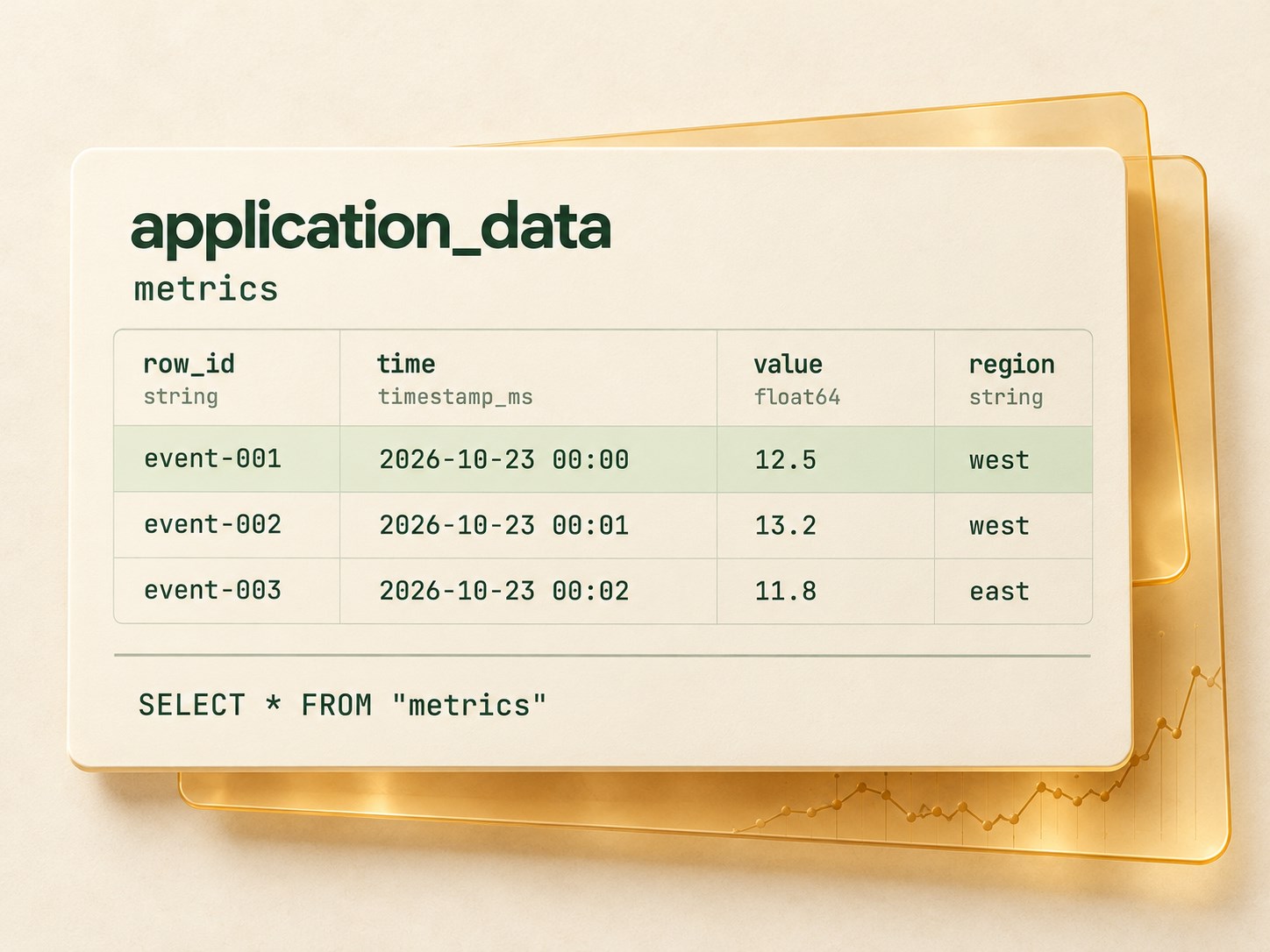
Open data foundations
Familiar tools. Open formats.
- SQL
- Apache Arrow
- Apache Parquet
Every signal has a time.
Every agent needs context.
A reading tells you what happened. Its history reveals what changed. Chronous brings timestamps, values, and attributes together in queryable tables for applications and future agent workflows.
- Time-series data model
- Keep each observation, its timestamp, and its typed attributes in the same row.
- SQL over your history
- Filter by time, compare observations, and inspect typed query results using SQL.
- Scoped database access
- Grant read or write access with database keys, while keeping organization membership explicit.
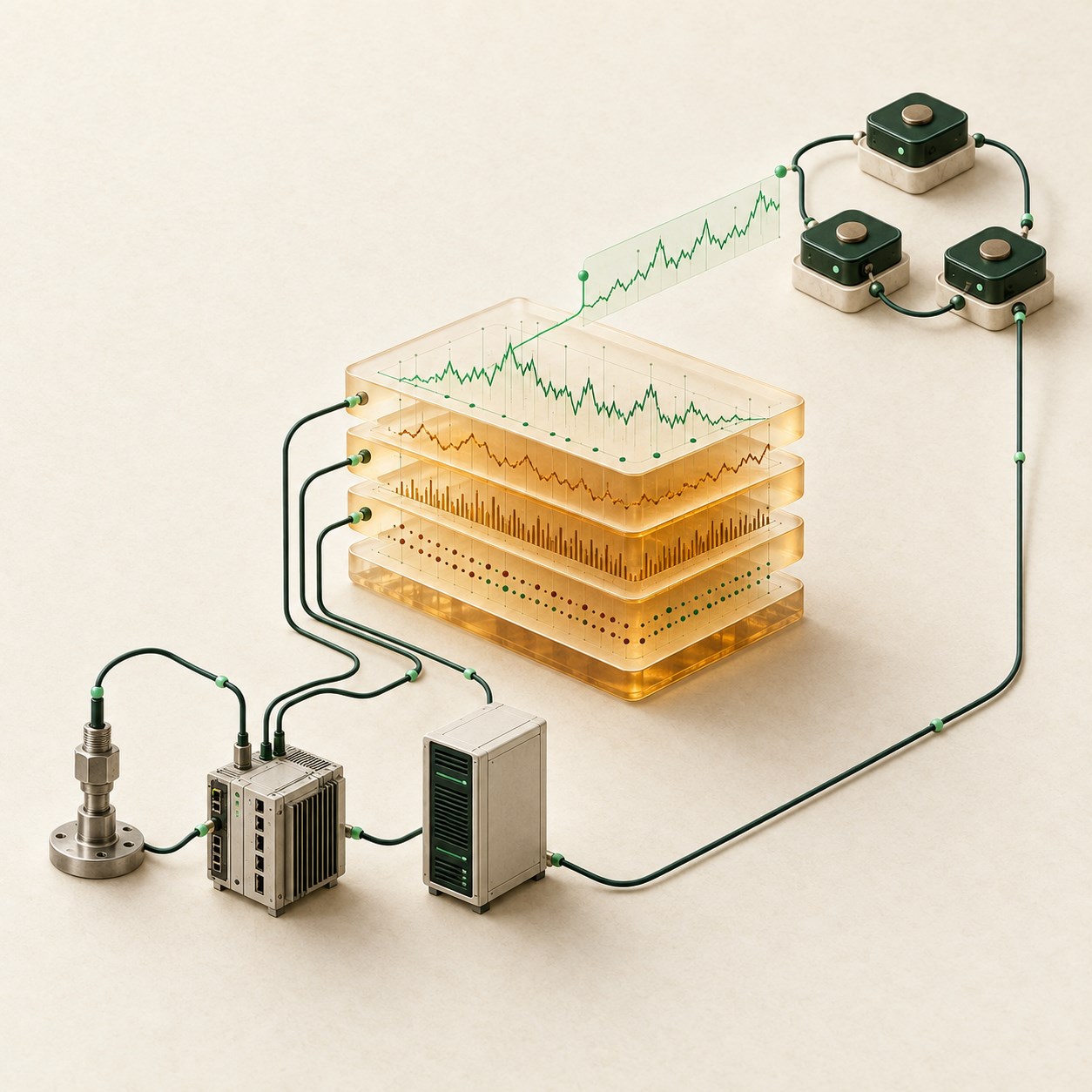
From machine signals to agent context
- M2M signals
Observations from connected machines, devices, and applications.
- Time-series history
Timestamped records preserve what happened and when.
- Agent context
Relevant history informs reasoning and proposed actions.
Concept illustration of our direction · agent capabilities are planned.
Familiar SQL.
Open columnar formats.
Our Rust engine uses established open-source data technology: Apache DataFusion for SQL, Apache Arrow for columnar processing, and Apache Parquet for stored data.
A typed time-series model on an open analytical foundation.
- Apache DataFusion
- SQL planning and query execution.
- Apache Arrow
- Columnar data in memory.
- Apache Parquet
- Columnar files for stored history.
Write JSON.
Read SQL.
Use familiar data tools. Insert timestamped rows as JSON, then query the same history with SQL.
Set up your database and connection in the console. This example uses the metrics table with sample data.
SELECT *
FROM "metrics"
ORDER BY "time", "row_id"
LIMIT 100
Choose SELECT in the console. Use your database, a metrics table, and a key with read access.
Run this example in the console after setting up your database and connection.
Time-series history.
The starting point for agent context.
First, store and query observations. Next, connect relevant history to an agent's reasoning and proposed actions, with people reviewing the next step.
- Database foundation
Store data.
Store timestamped data in tables with typed columns.
- Database foundation
Explore history.
Use SQL to read data and find relevant observations.
- Planned
Build context.
An agent connects historical data to the question at hand.
- Planned
Review actions.
People review the reasoning and proposed action before taking the next step.
Machine data.
Application events.
Agent context.
Time connects a signal to what came before it. These scenarios show how that history could support an agent's next recommendation.
Illustrative scenarios · agent features are plannedOperations
From change to response.
- Data
Operational data reveals a change in patterns.
- Context
An agent explores related history and context.
- Proposed action
The agent proposes a response and explains its reasoning.
The team reviews the proposal before any action is taken.
Applications
From events to understanding.
- Data
Application events reveal an interrupted workflow.
- Context
An agent connects the event to the sequence that preceded it.
- Proposed action
The agent summarizes its findings and suggests how to investigate.
A developer checks the context and decides what to do next.
Devices
From readings to priorities.
- Data
Device readings depart from their previous pattern.
- Context
An agent compares the change with the device history.
- Proposed action
The agent proposes which checks to prioritize.
An operator reviews the proposal before starting an inspection.
Build your data foundation around time.
Start with time series.
Build toward agent context.
Open console